Re-Labelling Assets Fields
The Assets Fields page lets you update the name of certain fields in the Assets module.
|
Note: You can re-label the field names of certain fields where the Re-Label link is available. |
To re-label the field name
- Open the Assets Fields page.
- Click the Re-Label link next to a field name you want to update.
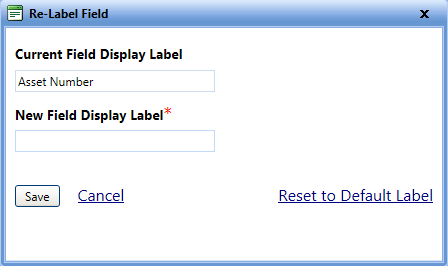
The Re-Label Field dialog box opens. - In the New Field Display Label box, type the new label name.
Note: The Current Field Display Label box displays the existing field name.
- Click one of the following:
- Save to save the information and close the dialog box.
- Cancel to disregard any changes and close the dialog box.
- Reset to Default Label to continue with the current or default label name.