Duplicating Roles
Duplicating roles allows you to use an existing role as a template for creating a new one, which makes creating new roles easier.
To duplicate a role account
- Open the Manage Roles page.
- Click the View link next to the role.
The Role details page opens. - Click the Duplicate Role link.
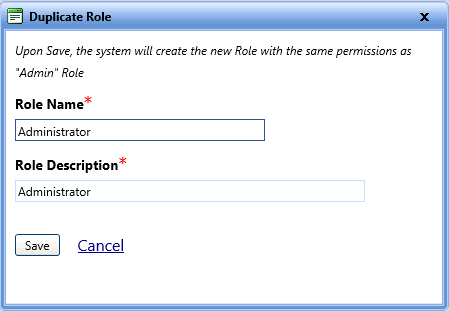
The Duplicate Role dialog box opens. - In the Role Name box, type the new role name.
- In the Role Description box, type the description of the role.
- Click one of the following:
- Save to create a new user with the same roles.
- Cancel to disregard any changes and close the dialog box.