Managing Roles
Roles consists of a set of permissions. When a role is assigned to a user, the user automatically gets access to the permissions associated with the role.
From the Manage Roles page, you can perform the following activities:
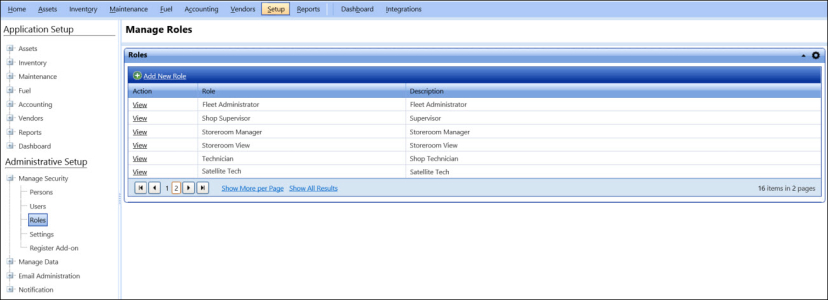
To open the manage roles page
- Click the Setup module.
- In the Administration Setup section, do one of the following:
- Click
 next to the Manage Security option, and then click Roles.
 - In the Manage Security section of Administration Setup, click the Roles link.
The Manage Roles page opens.