Fuel Import Setup
From the Fuel Import Setup page, you can define and manage the settings for importing fuel transactions to the FASTER Web database. A file containing multiple entries of fuel transactions carried out on FASTER assets are imported to the FASTER Web database.
Configuring and managing the fuel import settings include the following:
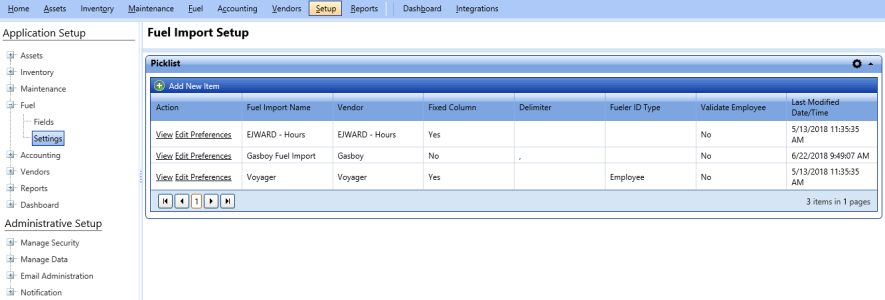
Fuel import setup page
To open the fuel import setup page
- Click the Setup module.
- In the Application Setup section, do one of the following:
- Click
 next to the Fuel option, and then click Settings.
 - In the Fuel section of Application Setup, click the Settings link.
The Manual Entry & Fuel Import Settings page opens.
- Click the View link next to Fuel Import Setup.
The Fuel Import Setup page opens.