Manual Entry and Fuel Import Settings
The Manual Entry & Fuel Import Settings page lets you view and manage the functional settings of fuel such as configuring fuel cost for different fuel sites/ dispensers, configuring parameters to import fuel transactions to FASTER Web, defining markup for fuel transactions, mapping the fuel vendor with the fuel dispenser/ site, defining employee validations to manually import fuel transactions, setting global fuel import settings such as time zone and inserting invalid readings, and scheduling the fuel import.
The functional settings include the following:
- Manual Entry and Fuel Import Settings
- Global Fuel Import Settings
- Schedule Automated Fuel Import Settings
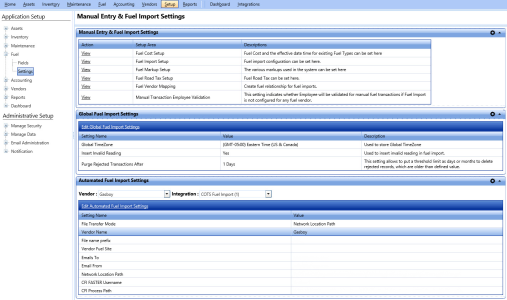
Manual entry and fuel import settings page