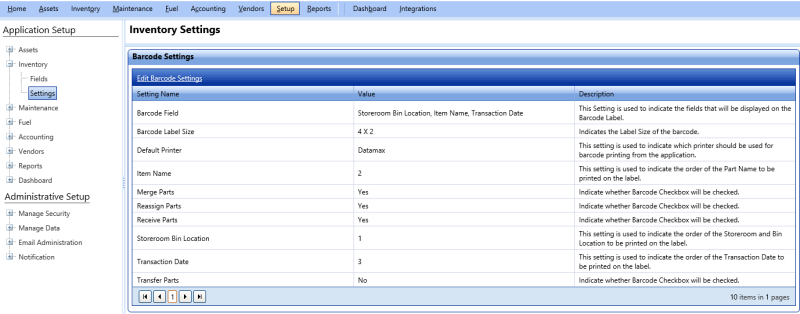
Barcode Settings
Barcodes are the unique identifiers that are used to identify each item in FASTER Web. FASTER Web supports Barcode Symbology - Code 128. The Barcode Settings grid displays the default barcode settings such as the order in which item information is displayed on the barcode, barcode label size and default printer for barcode printing. You can modify these settings in the Edit Barcode Settings dialog box as required.
You can click the Generate Historical Work Order Barcodes link to create barcodes for the past work orders that do not have barcodes.
|
Note: If you have upgraded to the latest version, the Generate Historical Work Order Barcodes link is displayed initially. Once the barcodes are generated successfully, this link is not displayed. |